
mule-idp-connector
This connector provides a unified interface for MuleSoft Intelligent Document Processing (IDP) actions, reducing connector sprawl and reconfiguration overhead when integrating IDP with Anypoint Studio.
Key Benefits
- Reduces Connector Sprawl: Consolidates multiple IDP actions into a single connector interface.
- Simplified Configuration: Minimizes reconfiguration when action versions change.
- Enhanced Flexibility: Supports potentially undocumented functionalities.
- Scalability: Enables rapid onboarding of new document actions.
Integrating IDP with Anypoint Studio
The connector addresses the known issues with Integrating IDP with Anypoint Studio, where each document action version generates a different connector, and version updates require downloading new connectors.
Use Service IDP - Execution - Submit to submit documents with simplified DataWeave configuration.
Connectivity Testing
If Test Connection fails with "clientId cannot be blank", use our connectivity test which works for both Basic and OAuth authentication.
Additional Features
Notifying Reviewers
Use Service IDP - Review Task - Delete to notify reviewers via email when failures occur or manual review is required.
Automated Review Updates
Use Service IDP - Review Task - Update to update review tasks programmatically without human intervention.
Listing Document Actions
Use Platform IDP - Actions - List and Platform IDP - Action Versions - List to list current document actions and their versions for documentation or third-party integration.
Deleting Review Tasks
Use Service IDP - Review Task - Delete and Service IDP - Review Tasks - List to manage review task deletion.
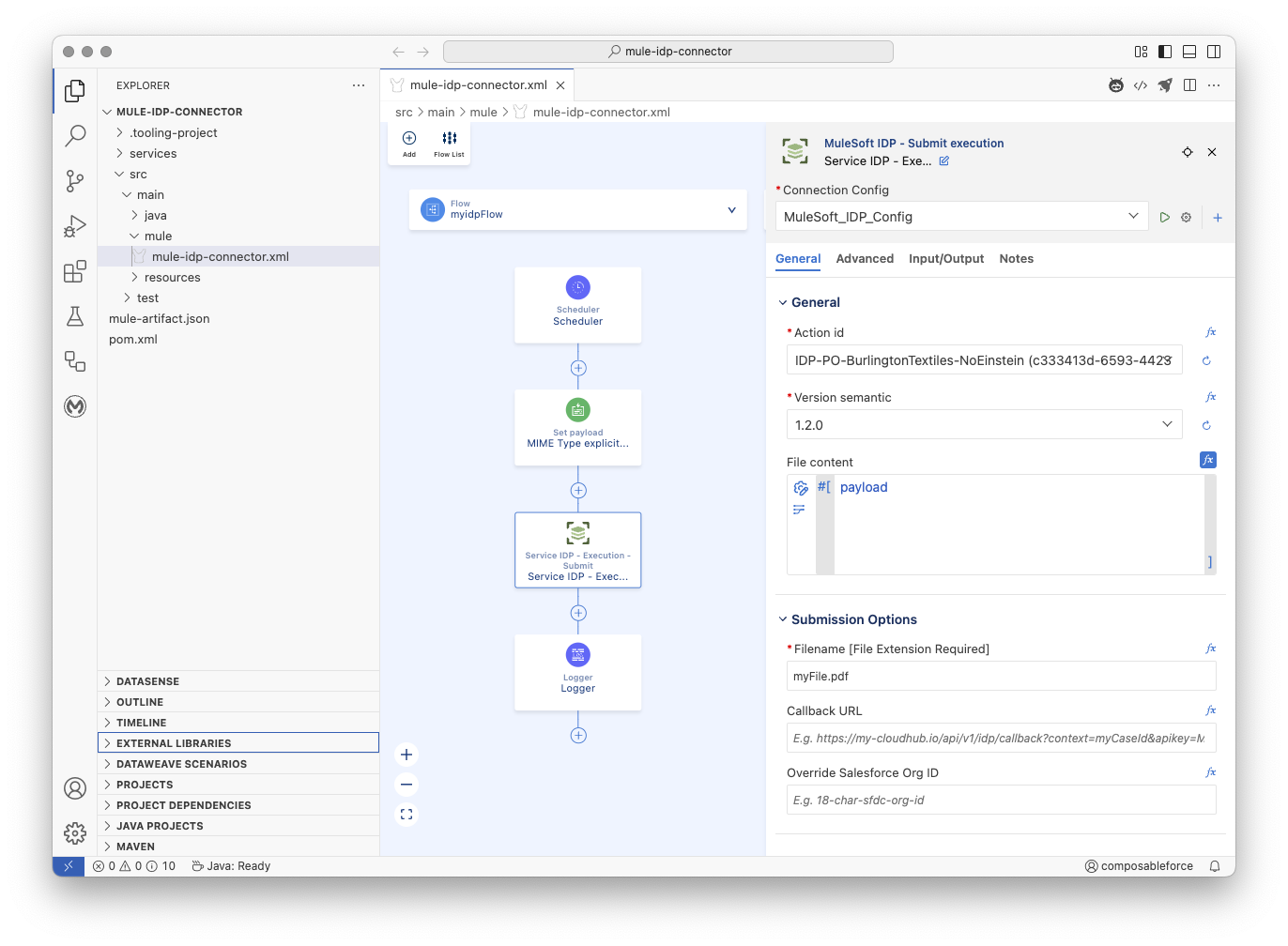
Background
Integrating IDP with Anypoint Studio / Anypoint Code Builder
Execute a published document action and retrieve the results from Anypoint Studio using that document action's IDP Runtime Service API connector. This connector generates automatically when you publish a document action to Anypoint Exchange. Then, you can download it as a Mule connector from Exchange.
Each document action version generates a different connector. For example, when you publish a document action for the first time, it generates a connector in Exchange that executes version
1.0.0of this document action. Then, if you modify the document action and republish it as version1.1.0, it generates a different connector that you must download and install in Studio to execute this new document action version. Consider this behavior when building your integrations.
The mule-idp-connector addresses these key challenges
- Each MuleSoft IDP Document Action creates a REST Connector
- Each newly published version of a MuleSoft IDP Document Action creates another connector and breaking change to existing Anypoint Studio/Code Builder project.
- Multipart input to postDocumentActionExecution has no datasense and prone to tribal knowledge